




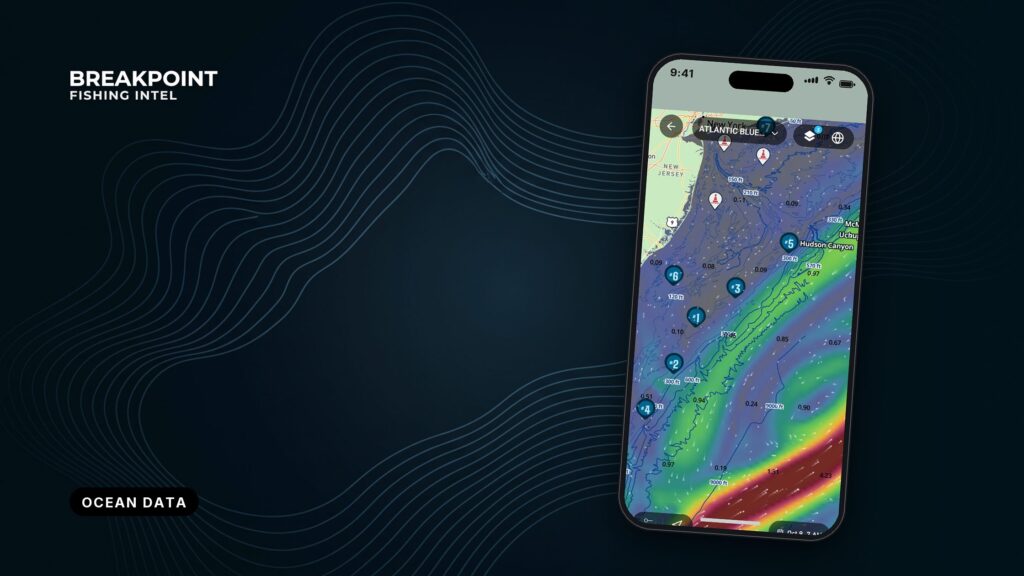
Not for navigation. Breakpoint charts are for trip planning. Navigate with official charts and your vessel’s instruments.
Every layer of ocean data answers one of three questions: where is the water that holds bait, where is the bottom that holds fish, and when is the window to go.
Ocean data for fishing is the set of measurements and forecasts that describe the water you plan to fish: surface temperature, ocean color, currents, bottom depth and charts, and weather and tides. Read together, it tells you where bait gathers, where bottom holds fish, and when to go.
It works best as a set of questions rather than a pile of layers. Each layer answers one question, and the value comes from where the layers agree. This page covers what each data type shows, the order to read them in, what limits each source, and how free sources, chartplotters and map apps compare. The goal is a better decision about where to run, not a promise of fish.
The five kinds of ocean data
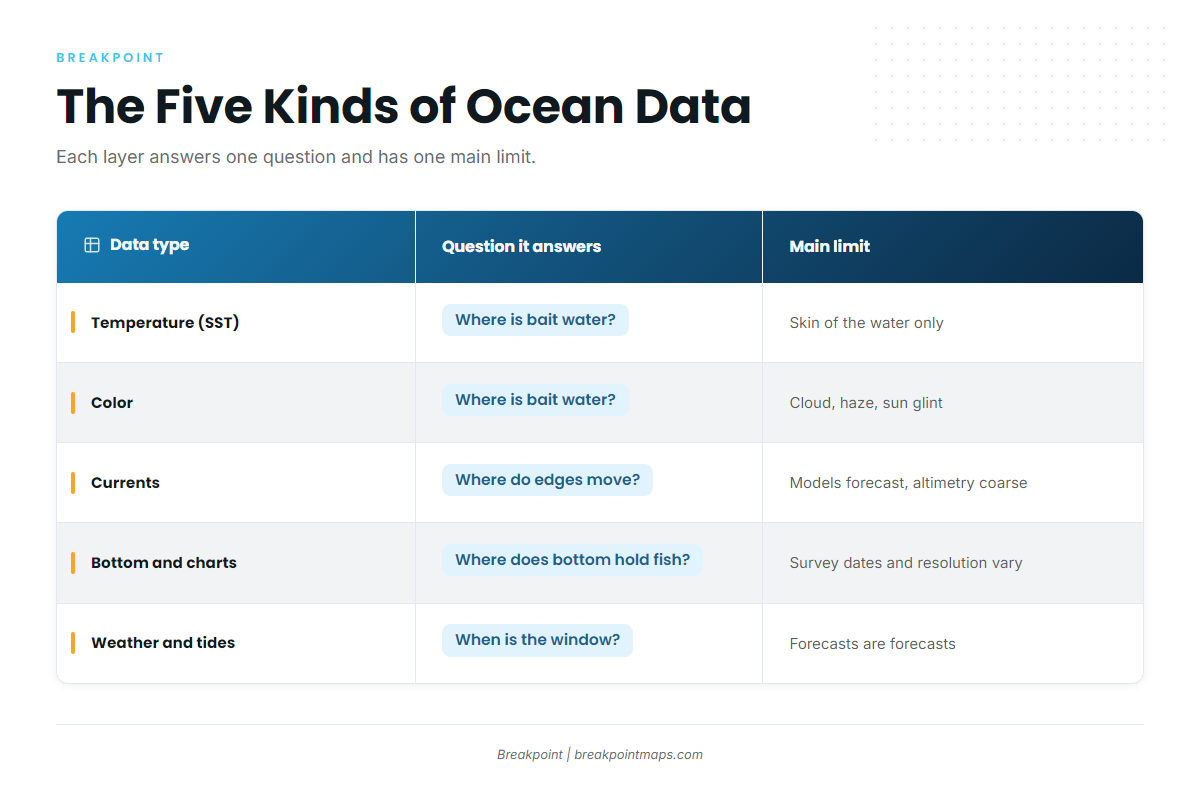
Each type answers one of the three questions, and each has one main limit. The table puts them side by side.
| Data type | Question it answers | What it shows | Source type | Main limit |
|---|---|---|---|---|
| Temperature (SST) | Bait water | Temperature breaks and warm-water intrusions | Satellite infrared, plus microwave and blended products | Reads only the skin of the water and cannot see through cloud |
| Color (chlorophyll, ocean color) | Bait water | Blue water and green water, and color breaks | Satellite color sensors | Cloud, haze and sun glint. Composites trade sharpness for coverage |
| Currents | Bait water and where the edges move | Current edges, eddies, the Gulf Stream and the Loop Current, plus altimetry (sea surface height) | Altimetry satellites and ocean models | Models are forecasts, and altimetry is coarse |
| Bottom and charts | Bottom that holds fish | Bathymetry, contour lines, ledges, humps, canyons and wrecks | Hydrographic surveys and NOAA charts | Surveys have dates and differing resolution, and fishing layers are not for navigation |
| Weather and tides | The window | Wind, wave height and period, tides and tidal currents | NWS marine forecasts, NDBC buoys and NOAA tide and current predictions | A forecast is a forecast, and buoys are point readings |
Swipe the table sideways to see every column.
Temperature and color do the most work offshore, and you read them together. The guide on reading temperature breaks and color edges covers how.
Weather and tides are the only layer that can cancel a trip on its own. The guide on wind, waves and tide windows covers where to get the numbers.
Upwelling shows up in two of these layers at once. Cold, nutrient-rich water rises and makes both a temperature edge and a color edge. Moon phase is a minor timing factor that sits behind tide and weather.
How to read them in order
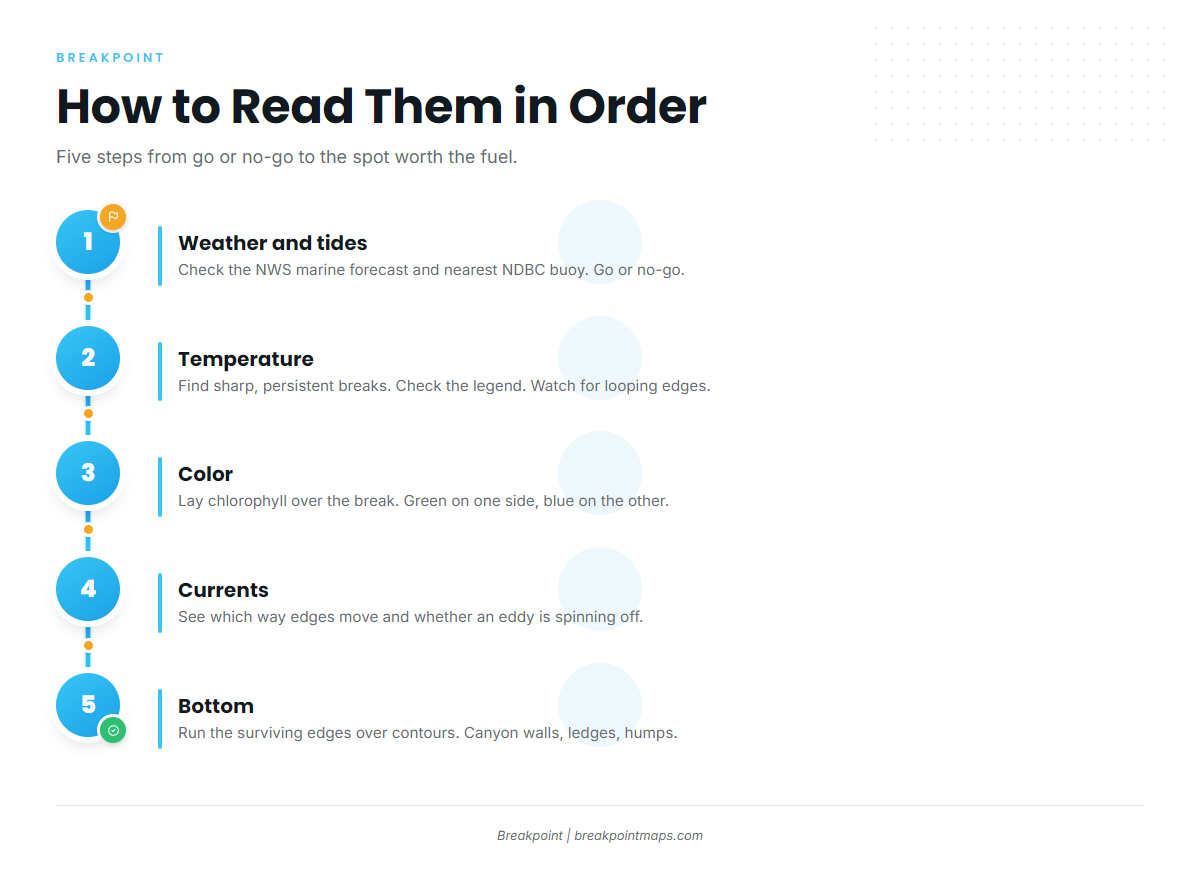
Read the layers in the same order every time. Each step filters out spots before you spend time on the next layer.
- Weather and tides: go or no-go. Start with the NWS marine forecast for your zones and the nearest NDBC buoy. Out of Ocean City Inlet, that means inshore zone ANZ650, offshore zone ANZ820 and NDBC station OCIM2. The Ocean City marine forecast links put all three in one place. Tide matters before you clear the jetties: the U.S. Coast Pilot 3 chapter for that coast describes currents of as much as 3 knots in the strongest parts of coastal inlets. A break 60 miles out is worth nothing if the forecast wind, wave height and period do not suit your boat. For the official forecast products, see reading the official marine forecast. Carry forward the wind, wave height and period, and the tide window.
- Temperature. Find breaks in the temperature range of your target. Judge each break by sharpness and persistence. A sharp break cuts cleanly across a short distance, while a soft one fades across several miles. A break that holds over several days of passes counts for more than one that shows up once. Check the legend, because color scales change by region and season. Curved or looping edges suggest an eddy. SST is the skin of the water and says nothing direct about the thermocline. Carry forward the one or two edges that hold their position.
- Color. Lay chlorophyll over the temperature break. A break with green, plankton-rich water on one side and clean blue water on the other beats a break in empty water. For mahi, look for weed, debris and birds near a clean color edge. The guide on how temperature and color line up walks through the overlay. Carry forward the edges where color and temperature agree.
- Currents. Use currents and altimetry to see which way the edges are moving and whether an eddy is spinning off the Gulf Stream or the Loop Current. Compare the last few days of passes or model runs to see whether warm water is pushing in or pulling back. The break you saw yesterday has moved by the time you arrive, so this step tells you where it is heading. For more on edges and eddies, see reading current lines offshore. Carry forward the edges that are holding or moving toward you.
- Bottom. Run the surviving edges over contour lines. Where a temperature and color edge crosses a canyon wall, a ledge or a hump, that spot deserves the fuel. Hudson Canyon is one example, and the canyons off Ocean City begin about 60 miles out. For contours, ledges and wrecks, see reading bottom structure and contours.
One layer is a hint. Temperature, color, current and bottom meeting in one place is a reason to run. It promises no fish, but it gives you a better place to look.
Nearshore and small-boat anglers can often run Steps 1 and 5 alone, weather and tide plus bottom, and add temperature when bait moves with the water.
Where the data comes from and what limits it
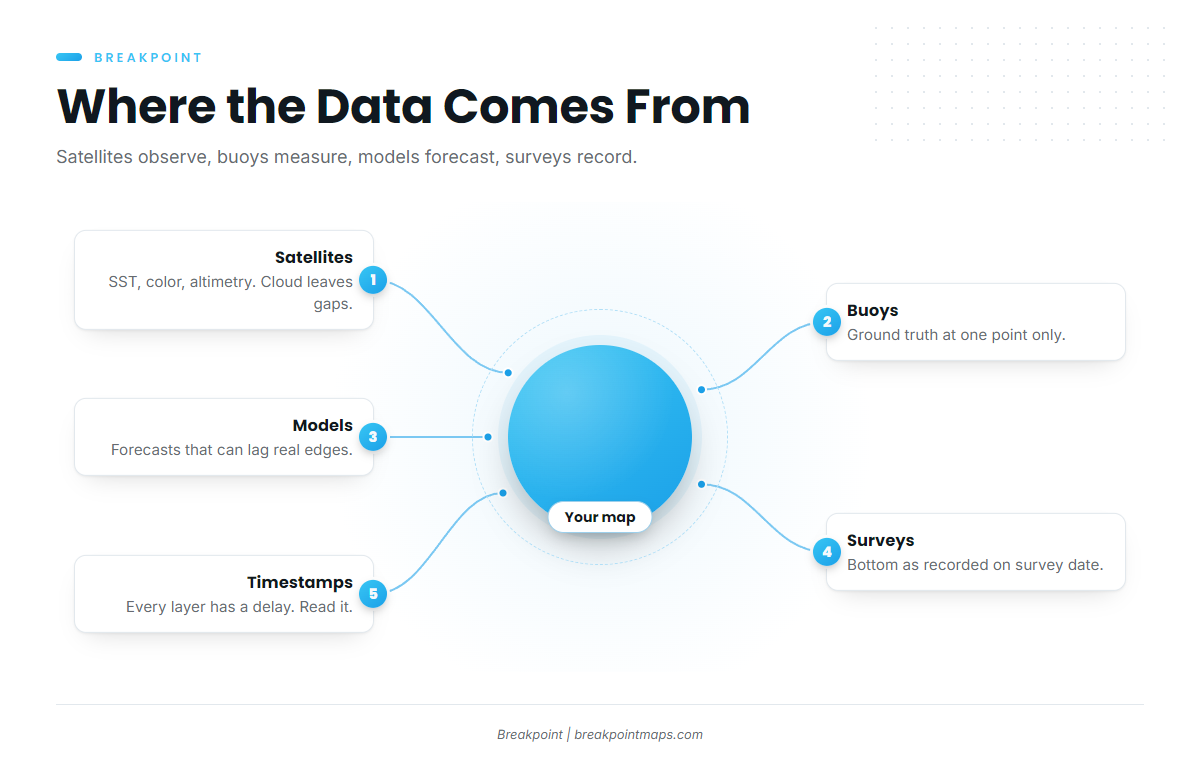
Satellites and buoys observe. Models forecast. Surveys record the bottom on the day they were run. Sources disagree because they use different instruments, resolutions, time windows and gap-filling methods.
Satellites
Infrared SST reads only the surface. Thermal infrared senses sub-millimeter depth, while ocean color and altimetry sense deeper, according to research on what infrared reads at sub-millimeter depth. That is why SST says nothing direct about the thermocline, and subsurface observations are sparse. What to do: treat SST as the surface picture and confirm depth with other sources.
Cloud blocks infrared. Clouds leave blanks, so blank or oddly smooth areas on a chart point to cloud contamination. What to do: check the previous days’ passes, and treat a smooth area on a gap-filled or "cloud-free" map as interpolated, not observed.
Single passes and composites trade off. A single pass is fresh and sharp but has holes. A multi-day composite fills them but softens and ages the edges. What to do: use the composite to see the pattern, and use the latest clear single pass to place the edge.
Blended products fill gaps by merging sources. Satellite readings can be combined with buoy and ship data, and sometimes with microwave SST. Microwave sees through most cloud but on a coarser grid. What to do: know that a gap-free map is partly built, not fully observed.
Ocean color has its own limits. Current ocean color instruments include VIIRS, MODIS and Sentinel-3 OLCI. Atmospheric conditions and sun glint limit retrievals. Some locations need several satellite passes over weeks to produce one retrieval, and 8-day and monthly averages give fuller coverage at reduced resolution. The limits of ocean color retrievals are well documented. What to do: read color for the general edge, and confirm placement with the freshest SST.
Altimetry sees eddies through cloud, but coarsely. It measures sea surface height and shows eddies and current edges under cloud. Its tracks are spaced apart, and the result is coarse next to SST. What to do: use it to confirm an eddy that the SST suggests, not to place a narrow edge.
The free portals for this data are NOAA CoastWatch, NASA and Copernicus.
Buoys
A buoy is ground truth at one point. Buoys report wind, wave height and period, and on many stations water temperature. NDBC station OCIM2 off Ocean City is one example. A buoy reads one spot, not the edge 40 miles away. What to do: check the buoy against the forecast on the morning of the trip. If the buoy reads higher wind or seas than forecast, believe the buoy and recheck the NWS forecast.
Models
A current or wave model is a forecast, not an observation. Models assimilate observations and then run forward. They can lag the real position of eddies and edges, and they disagree with each other near fronts. Every product has a delay between the measurement and the map. What to do: read the timestamp on every layer, and trust a model edge more when the latest SST shows it in the same place.
Inshore and in inlets, tidal current predictions matter more than ocean-scale models. The 3-knot inlet currents noted in Step 1 are a tidal effect.
Surveys and charts
Bottom data is only as good as the survey behind it. Coverage mixes modern multibeam with sparse older soundings, and contours drawn between sparse soundings are interpolated. What to do: treat a smooth stretch of contour as unknown bottom and verify it on the sounder. The guide on how far to trust the survey goes deeper.
Datum shifts the numbers. Chart depths refer to a stated vertical datum, and on U.S. charts that datum is tied to low water. A fishing map built on a different datum or source can show different numbers for the same spot. What to do: know which datum your chart uses and what offset your sounder applies.
Free bottom data exists. NCEI distributes NOS Bathymetric and Fishing Maps, and they are not intended for navigation. For navigation, use NOAA ENC charts and the U.S. Coast Pilot.
Free official sources, chartplotter charts and map apps
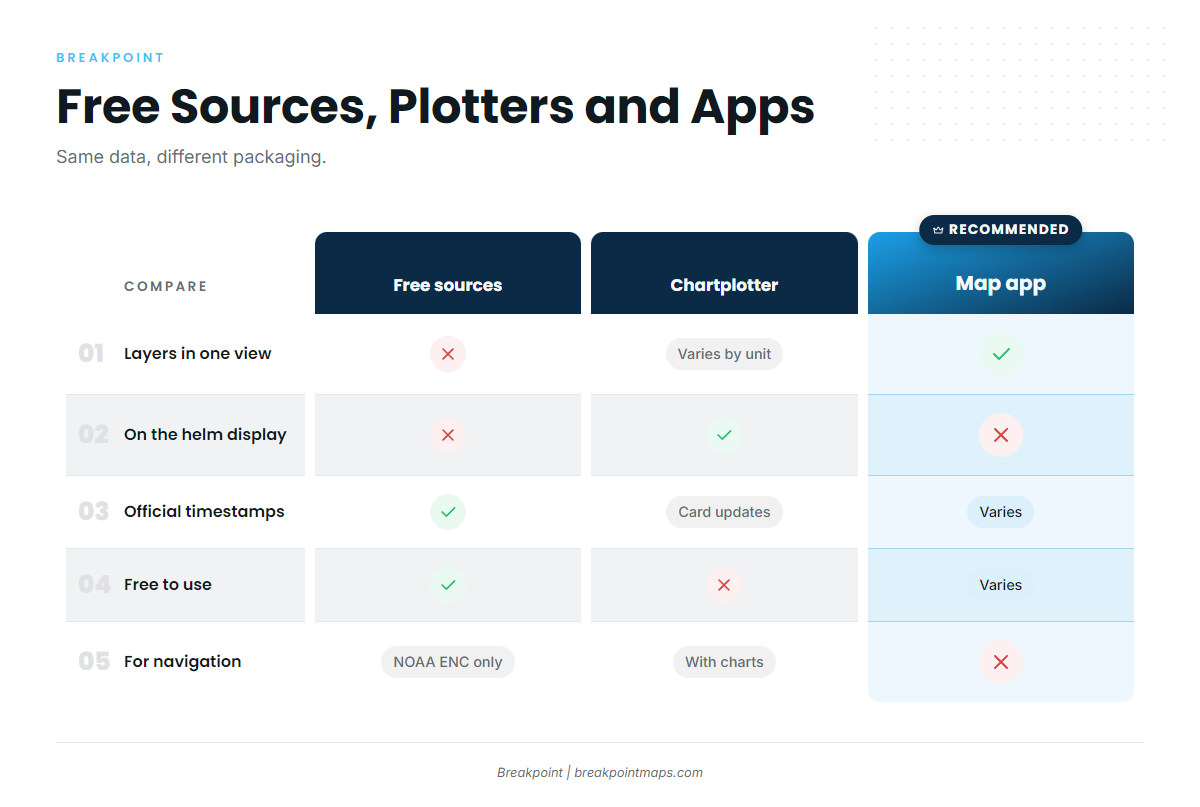
All three show overlapping layers. They differ in how the data is packaged, how fresh it is, and what it is sensible to navigate by.
| Category | What you get | Strengths | Limits | Navigation status |
|---|---|---|---|---|
| Free official sources (NOAA CoastWatch, NASA, Copernicus, NWS, NDBC, NOAA ENC, NCEI) | Raw or lightly processed SST, color, forecasts, buoys, official charts and bathymetric maps | Authoritative and free, with timestamps and method notes | Scattered across portals with separate interfaces, you combine the layers yourself, and some formats are built for scientists | NOAA ENC and paper charts are official navigation products. NCEI fishing maps are not intended for navigation |
| Chartplotter charts | Navigation charts on the helm display, sometimes with fishing-oriented contours | On the boat, tied to GPS and sounder, built for running | Satellite layers vary by unit or are absent, chart data updates with the card or software, and contour detail depends on the underlying survey | Built as navigation aids. Use them with official charts and follow the manufacturer’s own notices |
| Map apps | SST, color, currents, altimetry and bathymetry layered on a phone, tablet or computer | Layers in one view, quick comparison of passes, easy planning at home | Same satellite and survey limits as everyone else, gap-filled views can look more certain than they are, and they need a signal or a pre-downloaded area | Fishing layers are not for navigation |
Swipe the table sideways to see every column.
Free official sources suit anglers willing to assemble the layers themselves. You get the original data and the method notes, and you do the combining.
Chartplotters are the tool for running the boat. They sit at the helm, tied to GPS and sounder, and that is their job.
Map apps suit layered planning. They put temperature, color, currents and bottom in one view, so you can check an edge against the bottom the night before. In Breakpoint, layers such as OBS SST, Chlorophyll and Chart Contours sit in one view, so you can check an edge against the bottom without switching screens.
Not for navigation
Fishing map layers, including bathymetry, contours and satellite data, are not for navigation. Navigate by official NOAA charts, the U.S. Coast Pilot and your own instruments.
Before you fish, check your state fisheries agency and NOAA Fisheries for current rules.
Use the data to decide where to look, and let the water confirm it.
Guides
Each guide goes deeper on one part of the reading order.
Reading the water
- Reading ocean water for fishing – how to read temperature breaks, color edges and current lines together.
Reading the bottom
- Reading bottom structure for fishing – contours, ledges, humps, canyons and wrecks, and how far to trust the survey.
Weather, waves and tides
- Weather, waves and tides for offshore anglers – wind, wave height, period and tide windows, and where to get the official forecast.