




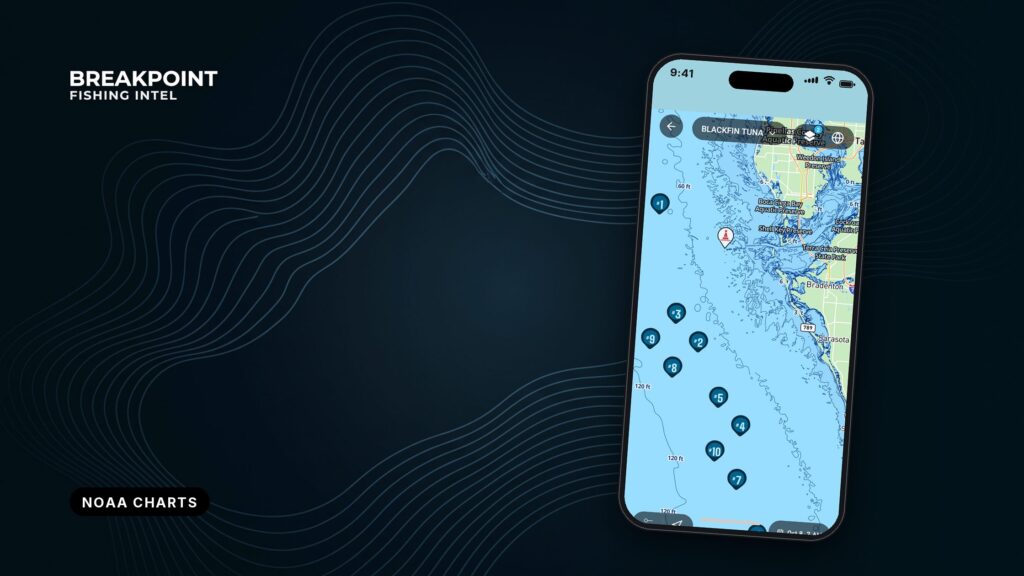
Chart Contours (NOAA ENC) is an optional Breakpoint layer that draws charted depth contours and soundings from the NOAA Electronic Navigational Chart (ENC). Surveyed depths from the official U.S. chart source appear in the same view as bathymetry, structure and SST, so you can plan without switching apps. The layer is for planning where to fish and is not for navigation.
This page covers what each depth feature means, what you see at zoom 8 and zoom 10, how to stack the layer with the others, and what the chart cannot tell you.
What NOAA ENC data is
NOAA describes NOAA’s electronic navigational charts as "vector data sets that support all types of marine navigation." The Office of Coast Survey publishes them in the IHO S-57 format, and each Electronic Navigational Chart is a digital database rather than a picture of a paper chart.
Coverage is large. NOAA reports ENC coverage of U.S. waters of "over 95,000 miles of shoreline and 3.6 million square nautical miles," out to the edge of the Exclusive Economic Zone. An ENC stores chart features such as bathymetry, coastal topography, landmarks and marine boundaries, as described in the NOAA ENC dataset record. Chart Contours draws only the depth features from that data.
Vector data matters on a phone screen. Each feature is stored with its location, shape and attributes, which is why contours can appear at one zoom level and soundings at another.
Depth areas, contours, soundings and MLLW
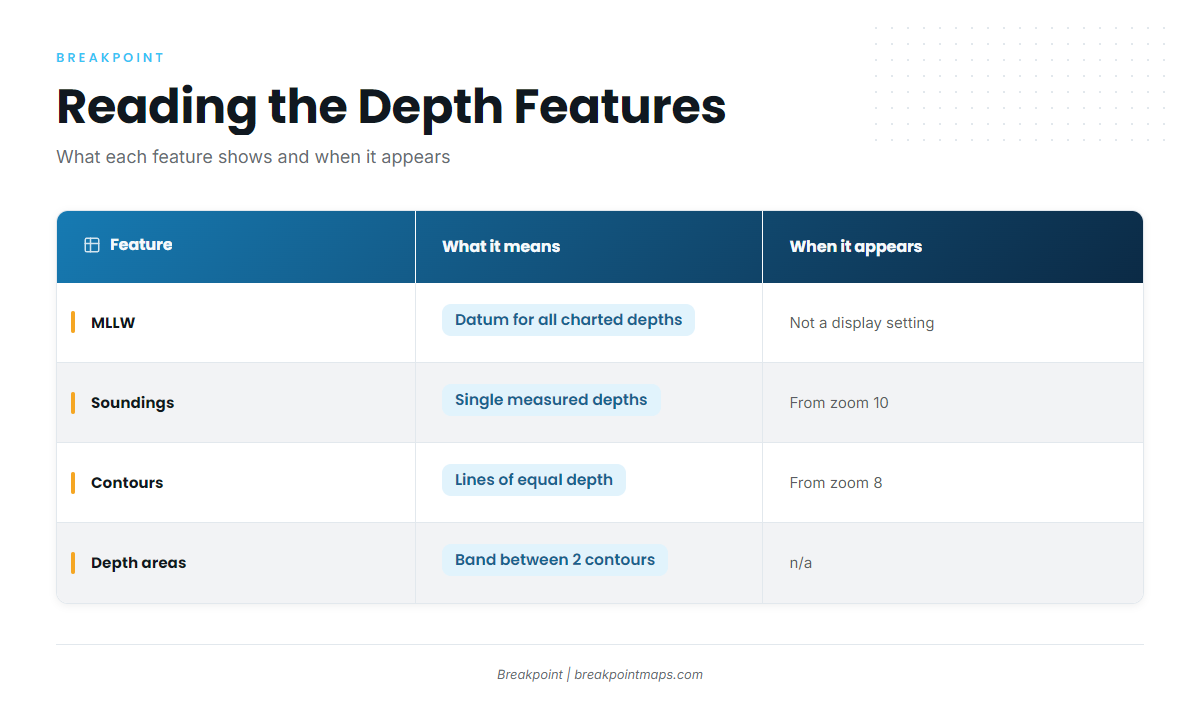
Four terms cover almost everything on the layer. The datum comes first, because every number depends on it.
MLLW: the datum behind every charted depth
MLLW (Mean Lower Low Water) is the average of the lower low water heights at a place, and U.S. charted depths are measured down from it.
Real depth equals charted depth plus the predicted tide height relative to MLLW, so a minus tide means less water than charted. Take a hypothetical 12 ft sounding. On a +2 ft tide it reads about 14 ft, and on a -1 ft tide it reads about 11 ft. The same arithmetic explains why your sounder and the chart can disagree at the same spot.
Soundings
A sounding is a single measured depth printed at the exact spot it was taken. Use soundings to cross-check a hump, a ledge top or a wreck before you run to it.
Depth contours
A depth contour is a line joining points of equal charted depth, like elevation lines on a topo map. Tight spacing means a steep drop, and wide spacing means a flat bottom. Lines that bend sharply seaward or landward show points, notches and canyon heads.
Depth areas
A depth area is the band of seafloor between 2 contours, stored as a filled shape with a minimum and maximum depth. A narrow band squeezed between 2 contours marks fast depth change, which is the kind of edge you are looking for.
| Feature | What it shows | What it means for fishing | When it appears |
|---|---|---|---|
| Contours | Lines of equal charted depth | Steep or flat bottom, points, notches | From zoom 8 (approach band) |
| Soundings | Single measured depths | Cross-check a hump, ledge or wreck | From zoom 10 |
| Depth areas | Bands between 2 contours | Narrow bands mark fast depth change | n/a |
| MLLW | The reference level for all depths | Add the tide to get real depth | Not a display setting |
How Chart Contours (NOAA ENC) appears in Breakpoint
Chart Contours is optional and stays off until you turn it on. Coverage is in all five regions.
NOAA groups ENCs into 6 usage bands, from overview (band 1) to berthing (band 6). Band 4 is "approach." Because NOAA is moving ENCs to a regular grid of standard scales, the detail you see depends on the band a cell belongs to.
We draw contours from the approach band, starting at zoom 8. Approach-band data gives consistent detail from nearshore out to the shelf, so a line has the same quality off the beach as it does on the 100-fathom curve.
Soundings appear from zoom 10. At small scales, thousands of spot depths stack into an unreadable mat of numbers, and waiting until zoom 10 keeps each figure legible and next to the bottom it describes.
What you see as you zoom:
- Zoom 8: approach-band depth contours.
- Zoom 10: contours plus soundings.
Screenshot, zoom 8: Chart Contours at zoom 8, approach-band depth contours.
Screenshot, zoom 10: Chart Contours at zoom 10, soundings appear.
To see them, turn on Chart Contours (NOAA ENC) and zoom past 8.
Using it with bathymetry, structure and SST
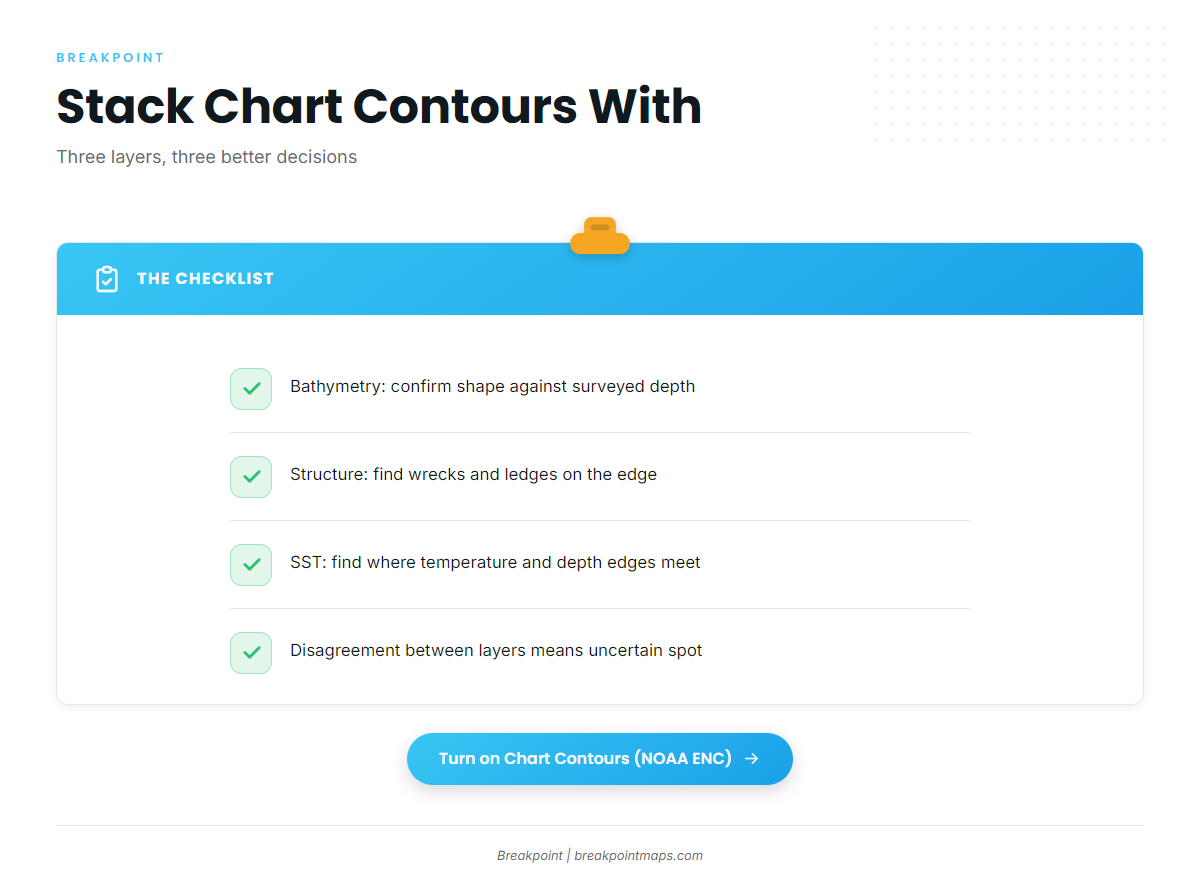
Chart Contours is most useful when stacked with other layers. Each pairing answers a different question. None of them promises fish, but each gives you a better basis for deciding where to look.
Chart Contours vs. the bathymetry layer
Chart Contours shows what an official survey measured, referenced to MLLW and generalized for the chart’s scale. Bathymetry shows continuous bottom shape between survey lines.
If you are newer to reading bathymetry contours, start there, then use Chart Contours to check the numbers. Use bathymetry to spot the shape, and use Chart Contours and soundings to confirm the charted depth on that shape. Where the two disagree, treat the spot as uncertain.
Stacking with structure
Turn on structure and look for wrecks, reefs and ledges sitting on or just off a contour edge. These are features to cross-check, not promises:
- Coxes Ledge
- Southwest Ledge off Block Island
- the AR-230 artificial reef off Hatteras Inlet, at 70 ft
Check whether the soundings around AR-230 agree with its listed 70 ft before you set a drift.
Stacking with SST
Look for a temperature break that runs along a contour edge, such as the shelf edge or a canyon wall. A break on a steep contour is a stronger place to start a troll than a break over flat bottom. A 3-degree break lying along the 100-fathom line, for example, would be worth a closer look.
Layer stacking at a glance
- Chart Contours + bathymetry: confirm the shape against surveyed depth.
- Chart Contours + structure: find targets on the edge.
- Chart Contours + SST: find where temperature and depth edges meet.
What the chart cannot tell you
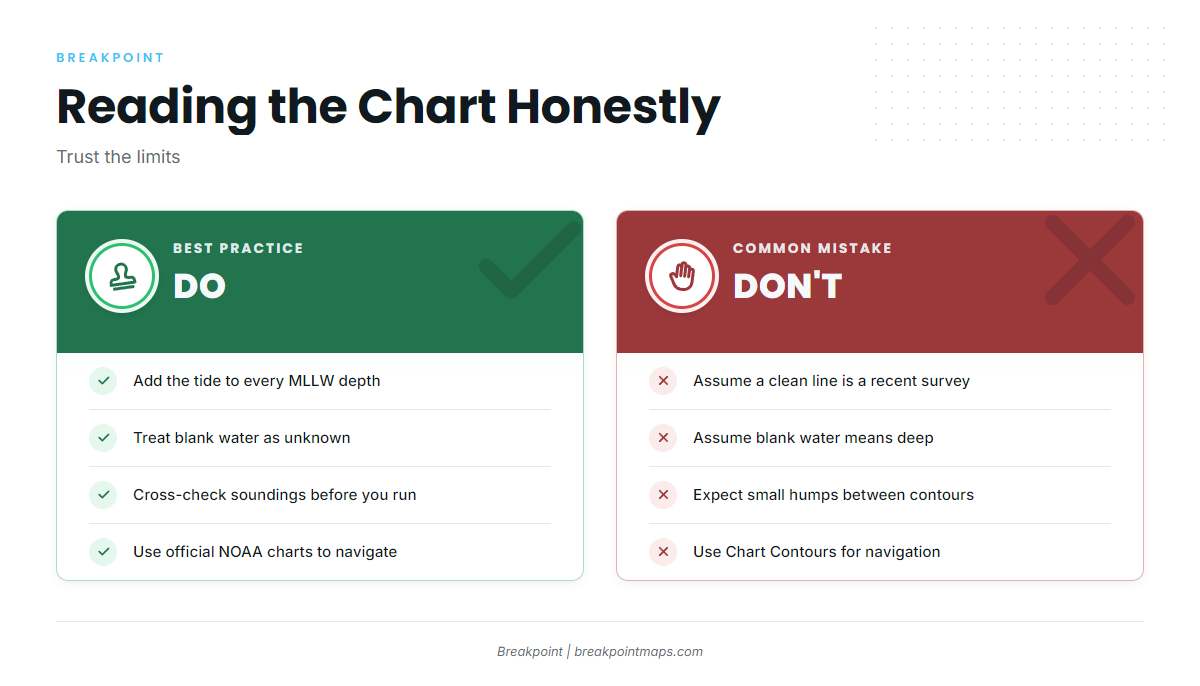
These limits are worth knowing before you trust a number:
- Survey age varies. Some depths come from old surveys, and a clean line is not necessarily a recent one.
- Blank means unsurveyed, not deep. Treat blank water as unknown.
- Contours are generalized for the scale. Small humps and notches can fall between lines.
- Shifting bars move faster than any chart. NOAA’s Coast Pilot says hydrography is not charted on Diamond Shoals because the area keeps changing. At Hatteras Inlet, the buoys over the bar are not charted because they are moved often.
- Some shallow surveys are old. NOAA’s Coast Pilot gives Lower Keys tidal channels such as Niles, Kemp and Bow older survey depths of about 3 to 5 feet.
- Every charted depth is an MLLW figure until you add the tide.
Chart Contours is for fishing planning only. Use official NOAA charts and a proper chartplotter on the water. NOAA says its own online viewers are not suitable for navigation either.
Frequently Asked Questions
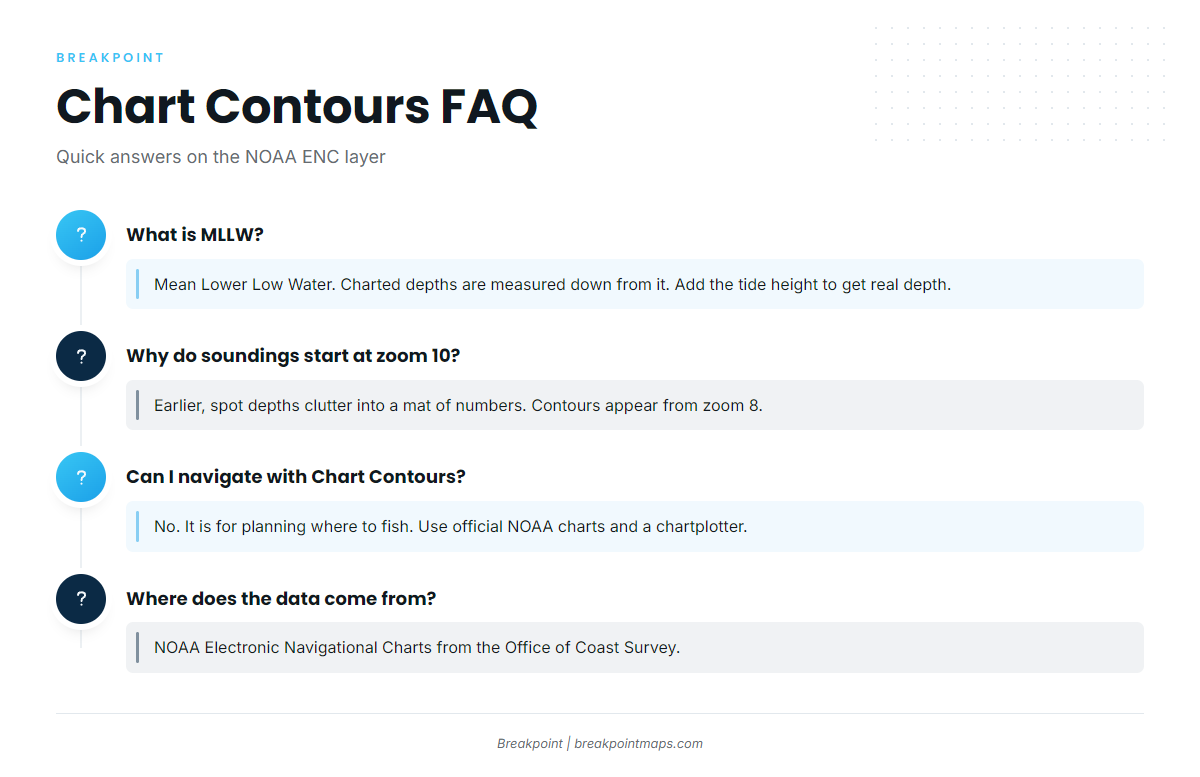
What is MLLW?
MLLW (Mean Lower Low Water) is the average of the lower low water heights at a place. U.S. charted depths are measured down from it. Add the predicted tide height to get real depth. A minus tide means less water than charted, and a 12 ft sounding on a +2 ft tide reads about 14 ft.
Why are soundings only visible from zoom 10?
At small scales, thousands of spot depths crowd together into an unreadable mat of numbers. From zoom 10, each sounding stays legible and sits next to the bottom it describes. Contours appear earlier, from zoom 8, because lines stay readable at wider views.
How is Chart Contours different from the bathymetry layer?
Chart Contours shows surveyed depths, referenced to MLLW and generalized for the chart’s scale. Bathymetry shows a continuous bottom shape between survey lines. Use both together: bathymetry shows the shape, and Chart Contours confirms the charted depth.
Can I navigate with Chart Contours?
No. Chart Contours is a fishing planning layer and is not for navigation. Use official NOAA charts and a proper chartplotter on the water, and check the official marine forecast for wind, wave height and period before you go.
Where does the data come from?
The data comes from NOAA Electronic Navigational Charts, published by the Office of Coast Survey in the S-57 format. Chart Contours draws from the approach usage band and uses only the depth features, contours and soundings, from that official chart data.
Close
Surveyed depths now sit beside bathymetry, structure and SST in one view. Read every number as MLLW plus tide, and keep the limits listed above in mind when you read the lines. The layer shows charted depth and does not locate fish.
Breakpoint is on the App Store and Google Play.