




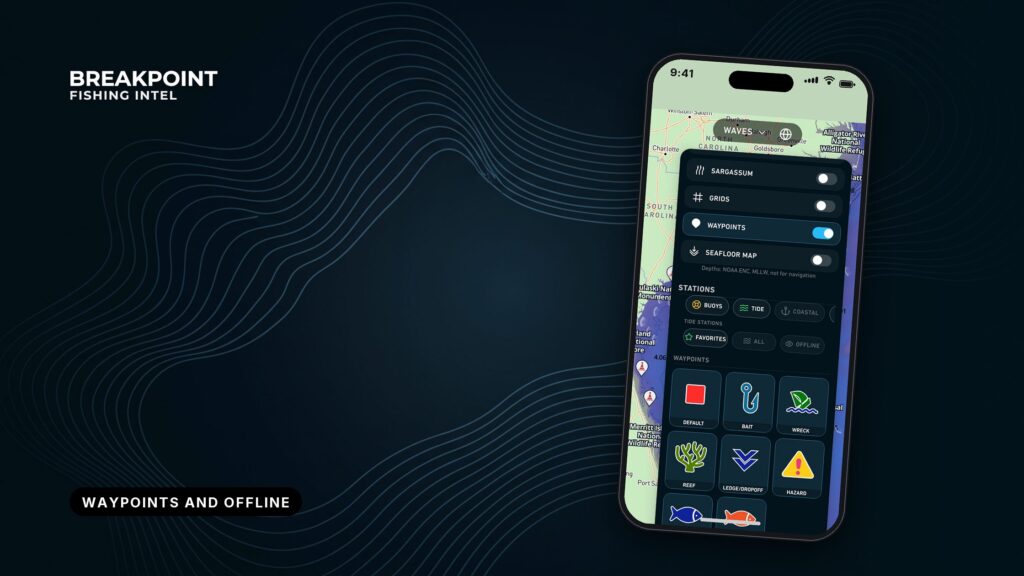
Your phone keeps showing your position with no signal, but the map under it shows only what you downloaded before you left. This page covers how to save named waypoints and download offline maps for your trip, then confirm both work before you lose cell service.
What waypoints and offline regions do
Breakpoint has two features for trips beyond coverage:
- Waypoints: Save and name your own spots.
- Offline regions: Download map data for an area so it displays without cell coverage.
The rest of this page shows how to set both up at the dock and what they cannot do.
What a waypoint is, and why named waypoints beat a notebook
A waypoint is a spot you save and name yourself. It sits on the map where you plan, so you are not copying numbers out of a notebook and fat-fingering a digit at 5 a.m.
Over time your waypoints become a private spot list, and the list is only as useful as the names on it. A good name gives the place, the side or edge, and a number if you fish it more than one way:
- "Ridge E edge 2" gives the feature, the edge and which approach.
- "Church Rock S side" gives the structure and where to set up.
- "Spot 7" tells you nothing a week later.
Pick a pattern and keep to it: place first, then side or edge, then a number. It pays off the third time you search the list on a bouncing deck.
What an offline region is
An offline region is map data for an area that you download while you have a connection. It displays later without one.
Size the region around your planned run plus a margin for a change of plan, a wind shift or a detour to a second spot. Download it at home on Wi-Fi rather than at the ramp on one bar of signal. You can add more regions later on Wi-Fi, so cover the water you plan to fish and leave the rest.
Why your position shows but the map doesn’t
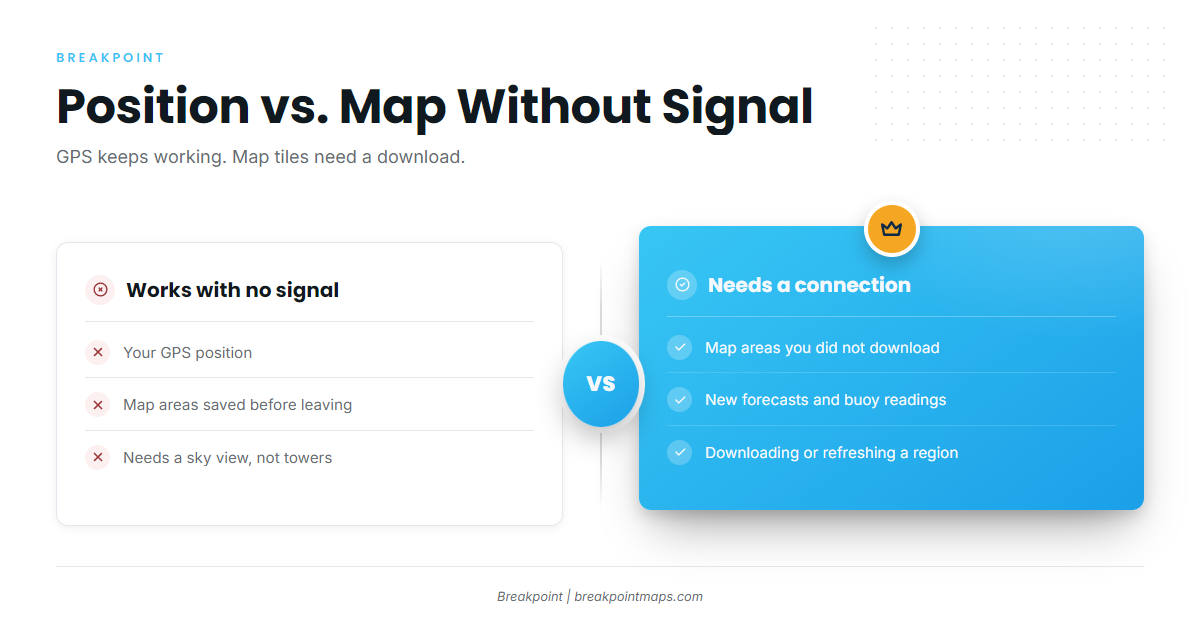
Your phone’s GPS listens to satellites, not cell towers, so your position dot keeps working with no signal. The map tiles under it load over a data connection. Offshore, the screen goes blank because those tiles were never downloaded.
| Works with no signal if saved first | Needs a connection |
|---|---|
| Your GPS position (needs a sky view, not cell towers) | Map areas you did not download |
| Map areas you downloaded before leaving | New forecasts and buoy readings |
| Downloading or refreshing a region |
Worked example: a Catalina run across San Pedro Channel
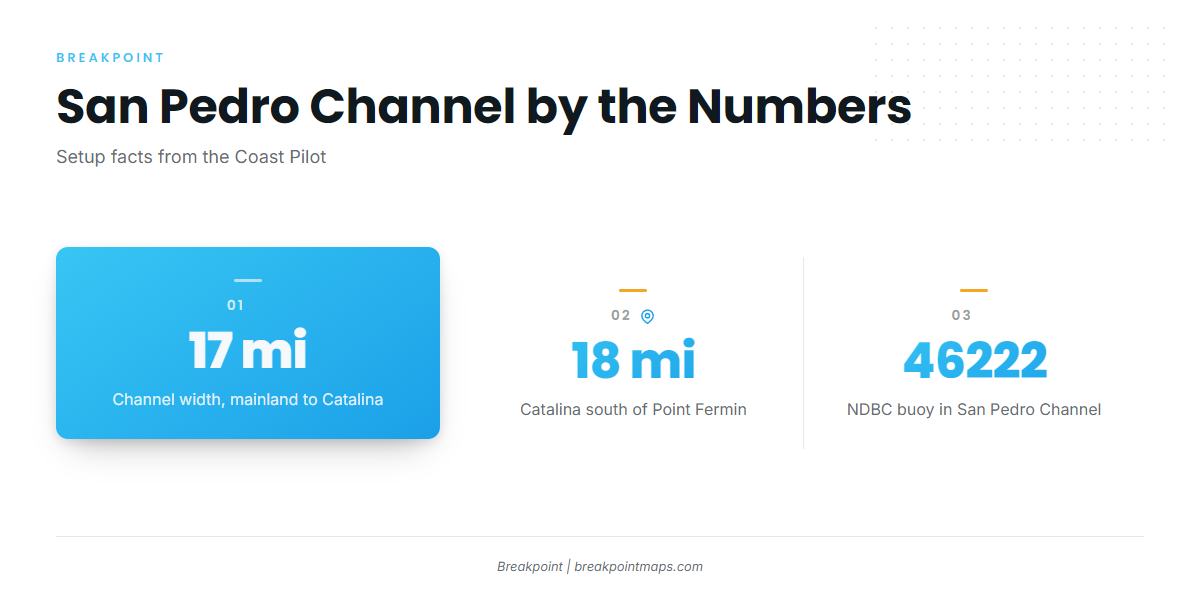
San Pedro Channel is about 17 miles wide between the mainland and Santa Catalina Island. The NOAA U.S. Coast Pilot 7 puts Catalina 18 miles south of Point Fermin. Plan as if you will have no signal once you clear the harbor.
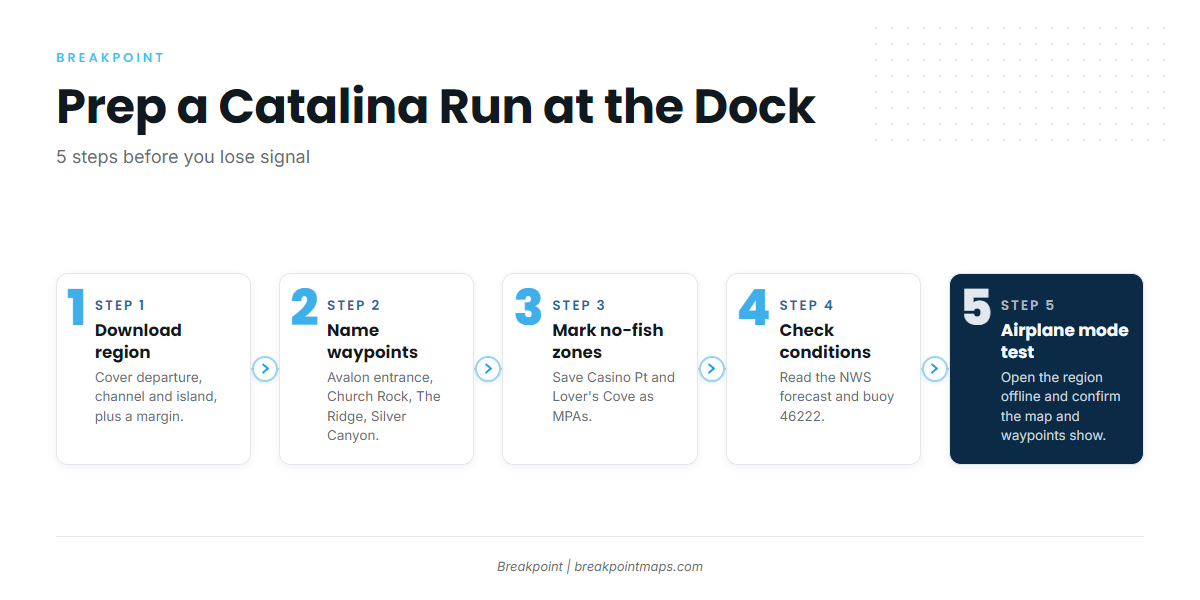
Here is the prep, start to finish:
- Download one region. Cover your mainland departure, the channel and the island’s east end, plus a margin. Do it on Wi-Fi.
- Drop and name waypoints. Mark the Avalon Bay entrance (the breakwater gap between Casino Point and the Cabrillo Peninsula), Church Rock, The Ridge east of the island’s east end, and the Silver Canyon sand flats. Use the naming pattern above.
- Mark the no-fish zones. Casino Point Dive Park and Lover’s Cove are marine protected areas where fishing is prohibited. Casino Point forms the north side of the harbor entrance. Save both as waypoints with names like "Casino Pt MPA no fishing." Check California Department of Fish and Wildlife rules before you fish.
- Check conditions before you leave coverage. Read the NWS marine forecast for PZZ655 and the NDBC buoy 46222 readings from San Pedro Channel. For how to read the wind and wave numbers, see our guide to reading wind and wave forecasts for an offshore run. The Coast Pilot gives prevailing winds in the Channel Islands as west and northwest, blowing nearly every day and especially in the afternoon.
- Run the airplane mode test at the dock. Turn airplane mode on, open the region, pan across the whole run and confirm the map and your waypoints display. Fix any gaps before you cast off.
Breakpoint chart layers are not for navigation. Carry official NOAA charts, a chartplotter and a VHF, and navigate with them.
Breakpoint is on the App Store and Google Play.
What the app can’t see offline
These are the limits to know before you go offshore:
- Freshness. Downloaded data is only as current as the download. Re-download before each trip.
- Coverage. Anything outside your saved region is not there. A detour past the edge means a blank screen.
- Phone storage and battery. Both are real limits. Download only what the run needs, bring a charging source or battery pack, and keep the phone shaded and dry.
- Forecasts. A forecast can be wrong. Check the official forecast again before you leave coverage.
- Backup. The phone complements the chartplotter. It does not replace it.
Pre-trip checklist
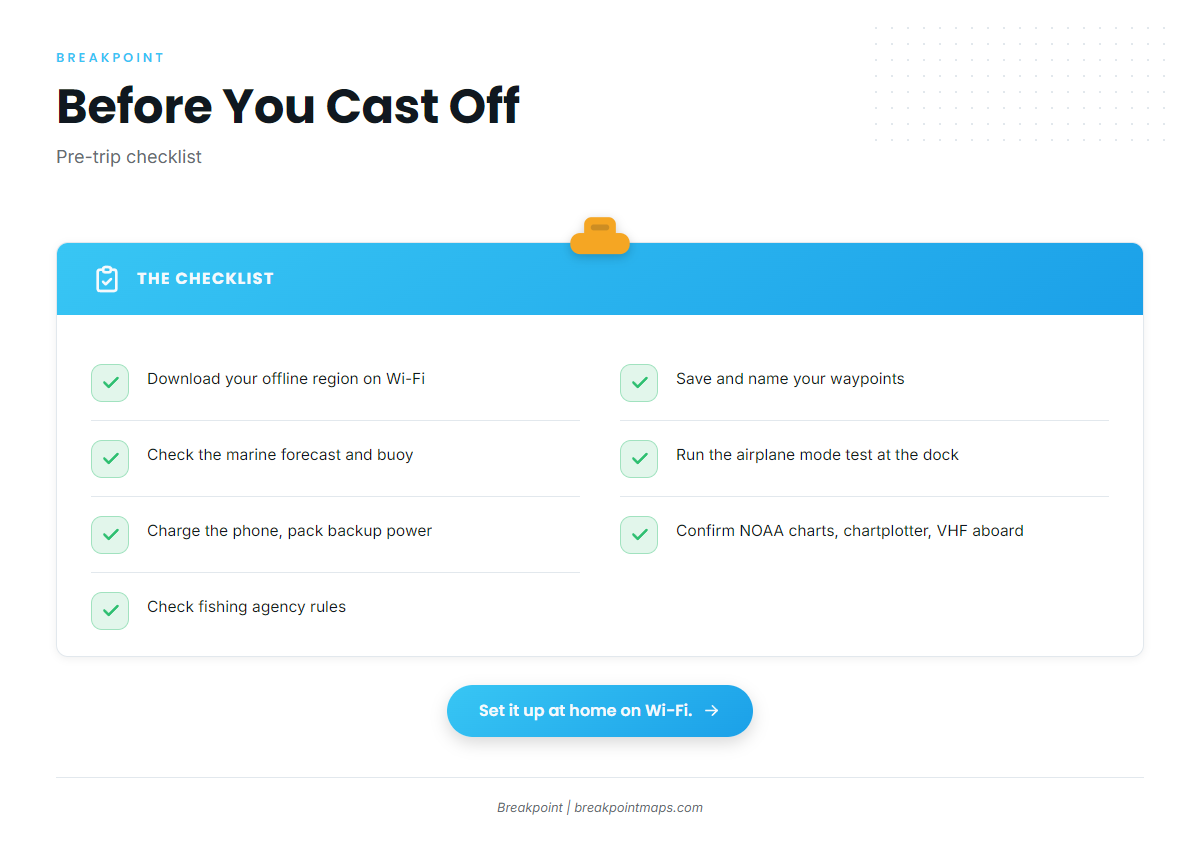
- Download your offline region on Wi-Fi, sized to the run plus a margin.
- Save and name waypoints for the destination, the fishing spots and the no-fish zones.
- Check the official marine forecast and the nearest buoy.
- Run the airplane mode test at the dock.
- Charge the phone and pack a backup power source.
- Confirm NOAA charts, the chartplotter and the VHF are aboard.
- Check the fishing agency’s rules before fishing.
FAQ
Does GPS work without cell service?
Yes. GPS uses satellites, not cell towers. The map under your position dot needs data you downloaded beforehand. Without a downloaded region you see your position on a blank screen.
Will my waypoints show offline?
How big an area should I download?
Cover your departure, your run and your spots, plus a margin for a change of plan. Larger areas use more phone storage, so leave out water you will not fish. You can add regions later on Wi-Fi.
Do I need to re-download regions?
Yes. Downloaded data reflects the moment you downloaded it. Refresh the region before each trip so the map matches what you are planning against.
Is Breakpoint a navigation app?
No. Breakpoint chart layers are not for navigation. It is a planning and reference tool. Carry NOAA charts, a chartplotter and a VHF, and navigate with them.
Does this work for remote surf spots?
Yes. The same prep applies to a remote coastal pullout. Download the region for a surf spot map offline, name the breaks as waypoints and run the airplane mode test before you lose signal.
Close
Set up one offline region and a handful of named waypoints at home on Wi-Fi before your next trip, then run the airplane mode test at the dock. Breakpoint is available on the App Store and Google Play if you want to try it.