




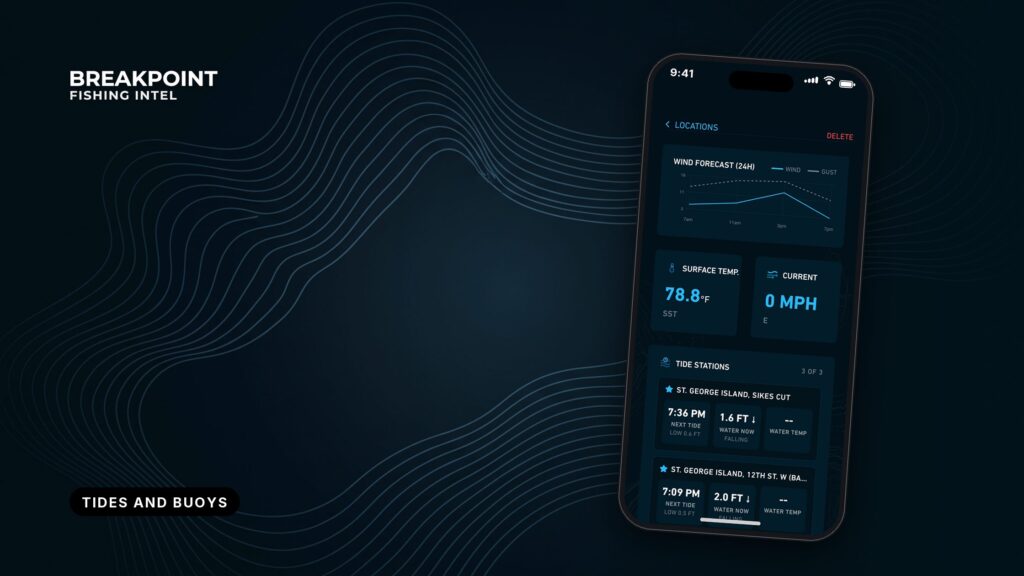
Not for navigation. Breakpoint charts are for trip planning. Navigate with official charts and your vessel’s instruments.
A forecast says what may happen, a buoy reports what is happening, and a tide or current station shows when the water moves.
Timing a trip with this data comes down to reading three sources in the right order. Two NOAA sources do most of the work: NDBC (the National Data Buoy Center) for wind, waves and pressure, and CO-OPS (Tides & Currents) for water levels and currents. Once you can read the raw numbers, any app, Windy or Surfline included, can be checked against the source.
This guide covers how to read a buoy report field by field, how to pick a station that represents the water you will run, how to tell a tide prediction from an observation, how to separate tide height from current, and how to time a run through Hatteras Inlet with a repeatable go/no-go checklist.
Read the Time and Units First
NDBC buoy reports are time-stamped in UTC, so convert to local time before comparing anything. For the Hatteras example, apply the Eastern UTC offset for standard or daylight time, whichever is in effect on the day you run. A timestamp read as local time when it is UTC shifts every decision that follows.
Three habits cover the basics:
- Convert every timestamp to local time before comparing it with a forecast or a tide table.
- Check the units on the station page. NDBC can show metric or English values, and a number read in the wrong unit is a wrong number.
- Compare the latest timestamp with the clock. A gap of several hours, or a field shown as missing, means you should move to a backup station.
How to Read a Buoy Report: NDBC Station 41025, Diamond Shoals
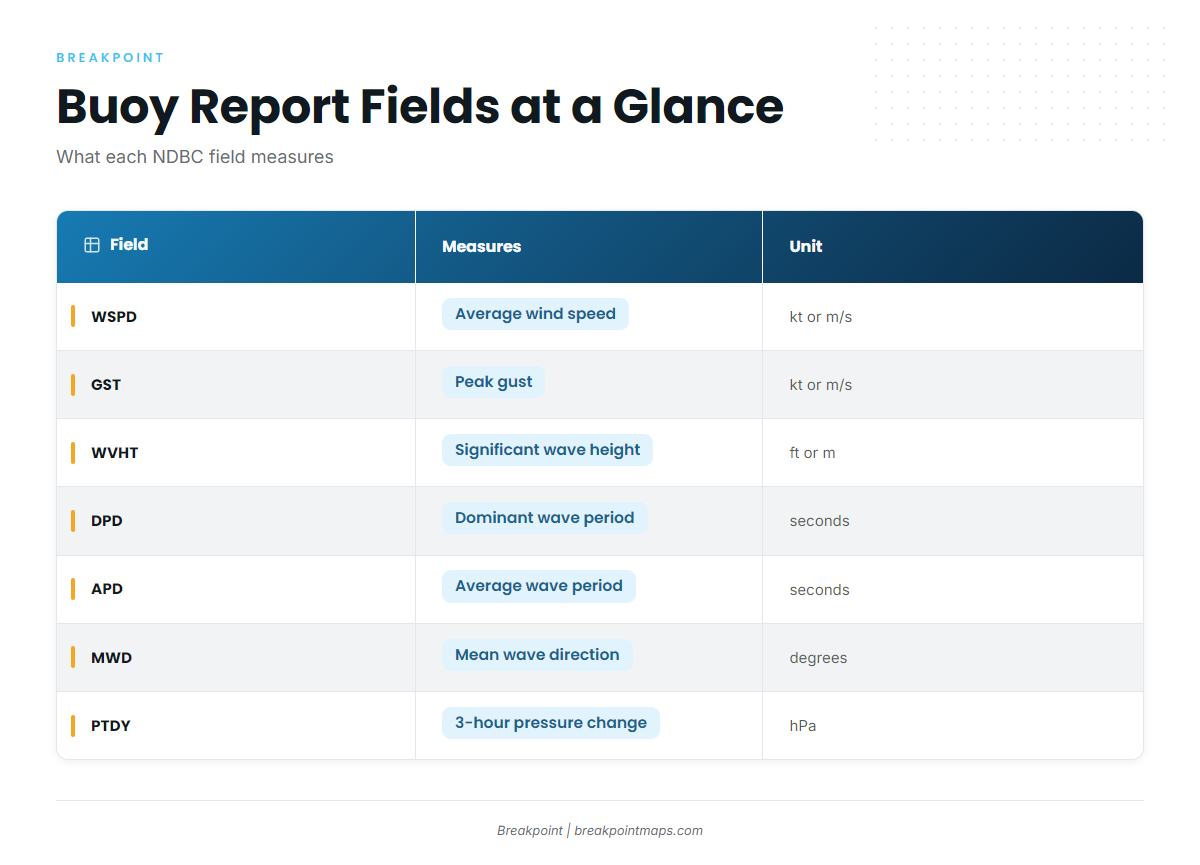
A buoy report is a set of point measurements (wind, waves, pressure and temperature at one location) logged over time.
Open NDBC Station 41025, Diamond Shoals and scroll to the recent-observations table instead of reading only the top line, because trends show up in the table. Each column means something specific:
| Field | What it measures | Units | What to do with it |
|---|---|---|---|
| WDIR | Direction the wind blows from | Degrees true | Compare it with the inlet’s orientation and the current direction. |
| WSPD | Average wind speed over NDBC’s sampling period | Knots or m/s | Track the trend across the last several reports. |
| GST | Peak gust in the sampling period | Knots or m/s | The gap between GST and WSPD shows how steady the wind is. |
| WVHT | Significant wave height, the average of the highest one-third of waves | Feet or meters | Individual waves run higher than this value. |
| DPD | Dominant wave period, the period with the most energy | Seconds | A longer DPD means more organized swell energy. |
| APD | Average wave period across all waves | Seconds | If APD sits close to a short DPD, the sea is locally generated. |
| MWD | Mean wave direction, where the dominant waves come from | Degrees | Use it to judge exposure of your spot. |
| PRES | Sea-level pressure | hPa or in Hg | Use it as a baseline only. |
| PTDY | Pressure tendency, the change over 3 hours | hPa | A falling PTDY tightens your window. Check the NWS forecast. |
| ATMP / WTMP | Air and water temperature | °F or °C | Use them for dress and immersion planning. |
Two habits turn a quick glance into a real read.
First, read WVHT, DPD, APD and MWD together. A large WVHT can hide a mixed sea, with swell and wind waves arriving from different directions, so check the periods and direction before trusting the height.
Second, read the time series rather than a single line. Look at the last 6 to 12 reports and note which way each number is moving. Three rising WSPD readings tell you more than one reading does.
A buoy measures one point. Station 41025 sits off Diamond Shoals, not in Hatteras Inlet. It shows what the offshore water is doing, and the inlet bar can behave differently.
How to Choose a Representative Station
Pick the station whose exposure, depth and distance match the water you will actually be on, then confirm it reports the fields you need.
Work through this checklist every time:
- Distance. Prefer the nearest station, but distance alone is not enough.
- Exposure. Check whether the station sees the same wind and swell directions (MWD) as your spot, or sits in the lee of land.
- Depth. An offshore buoy in deep water reads waves before they shoal. An inlet bar sits in shallow water and behaves differently.
- Fetch. Consider how much open water the wind crosses to reach the station compared with your spot.
- Station type. Decide between an offshore buoy and a coastal or C-MAN station.
- Sensor check. Confirm which fields the station carries on its page. Not every station has every sensor.
- Freshness. Check the timestamp and any missing fields.
- Backup. Name a second station before you need it.
Two examples show why this matters. NDBC 41117, the St. Augustine buoy, is a wave buoy. Open its station page, see which fields it reports, and use only those. Do not rely on it for wind or pressure unless the page shows them.
NDBC MDRM1, Mt. Desert Rock, is a C-MAN (coastal) station on a rock. Sensor height and the surrounding land mean it represents nearshore wind differently from an offshore buoy, so know which kind of station you are reading.
Inlet bar buoys are also moved often and are not charted, and the Coast Pilot says so for Hatteras, St. Augustine and Topsail. A navigation buoy is not a data station.
A Breakpoint map shows buoy position and exposure relative to the inlet, so you can judge representativeness before you read a number. Not for navigation.
What a Tide Station Gives You
A tide station gives predicted and observed water levels, referenced to a datum such as MLLW. MLLW is mean lower low water, the reference for tide heights and chart depths, so a height of 3 feet means 3 feet above that datum.
The distinction that matters most is predicted versus observed. Predictions are astronomical and do not include wind setup or surge. Before you go, compare the observed level with the predicted one and treat the difference as the weather’s contribution.
CO-OPS also sorts its stations in a way that affects how much confidence you can place in them. As the NOAA tide predictions help page puts it: "Harmonic stations are stations with tidal harmonic constants and tidal datums… Subordinate stations are historic stations which do not have tidal harmonic constants available." Harmonic stations generate predictions directly from their own constants, while subordinate stations are tied to a reference station.
To find the nearest station to Hatteras Inlet, open the CO-OPS map, zoom to the inlet, and choose the closest harmonic or subordinate station that lists predictions.
Tide height sets some windows outright. The Bar Harbor Town Landing ramp is reported as not usable around low tide, so for that ramp water level, not current, decides when you can launch.
Tide Height vs. Current
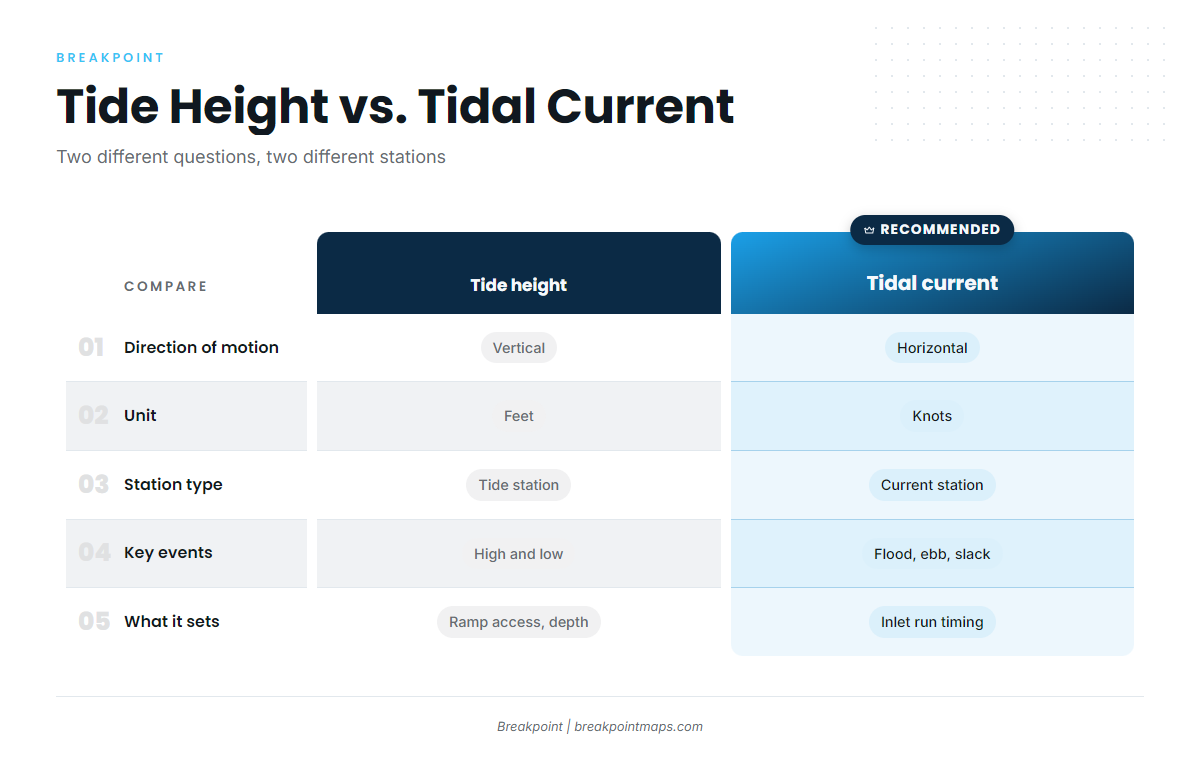
Tide is the water moving up and down, and current is the water moving sideways.
| Tide height | Tidal current | |
|---|---|---|
| Direction of motion | Vertical | Horizontal |
| Unit | Feet | Knots |
| Station type | Tide station | Current prediction station |
| Key events | High and low | Flood, ebb and slack |
| What it sets | Ramp access and depth | Inlet run timing |
High tide is not slack water. Slack is the turn of the current, and its timing relative to high or low water varies by location. Flood is the incoming current, ebb is the outgoing current, and slack sits between them.
Current predictions come from separate CO-OPS current prediction stations, not from the tide station. Find one on the CO-OPS map near your inlet and read its flood, ebb and slack times.
One official figure anchors the Hatteras example. Coast Pilot 4, Chapter 4 gives tidal currents in the channel through Hatteras Inlet as influenced by winds, reaching about 2 knots.
Wind against current changes how an inlet looks. Coast Pilot 4, Chapter 5, says that at New River Inlet the break is worst when the ebb sets against a south or southeast wind. It also says bars along that coast tend to break under even a light sea breeze, while a land breeze can blow hard without breaking them much.
Moving water and bite timing are related but separate questions. For the second one, see how solunar tables and bite times work. Solunar periods are a separate input from tide and current.
Time the Trip at Hatteras Inlet
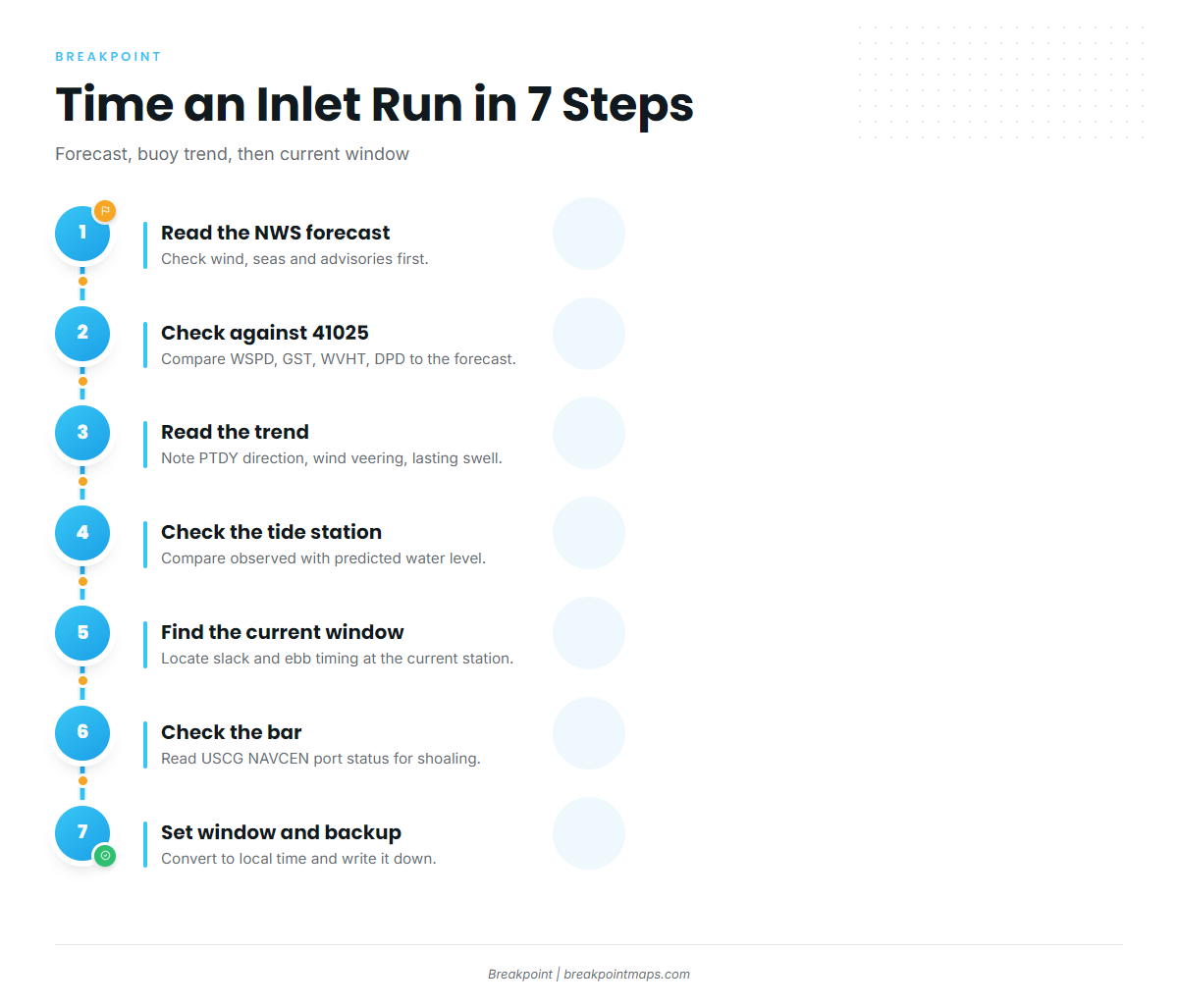
Time an inlet run in three passes: the forecast, then the buoy trend, then the current window.
- Read the NWS forecast. Open the Newport/Morehead City marine forecast for wind, seas and advisories.
- Check the forecast against 41025. Compare WSPD, GST, WVHT and DPD over the last 6 to 12 reports with what the forecast called for. If the observations run ahead of the forecast, trust the observations. For the forecast side, see how we read wind and wave forecasts for an offshore run.
- Read the trend. Check the PTDY direction, whether the wind is veering, and whether swell persists. The reading on the day is not the whole story. At Perkins Cove, Coast Pilot 1 reports heavy swells breaking across the entrance in easterly weather and for as long as 2 days after a heavy blow.
- Check the tide station. Compare observed with predicted water level to see any setup or surge.
- Find the current window. At the current prediction station, find slack and the ebb timing. Keep the Coast Pilot’s wind-influenced current of about 2 knots in the channel in mind.
- Check the bar. Read the USCG NAVCEN port status for shoaling and shifting bottoms. Bar buoys are moved and not charted.
- Set the window and pick a backup. Convert every time to local, write the window down, and name a backup station.
Viewing 41025, the inlet and depth together on a Breakpoint map with the Chart Contours layer puts station position and bar depth in one view. Not for navigation.
All of these numbers are inputs to your decision, and the decision itself stays with you.
Go/No-Go Checklist
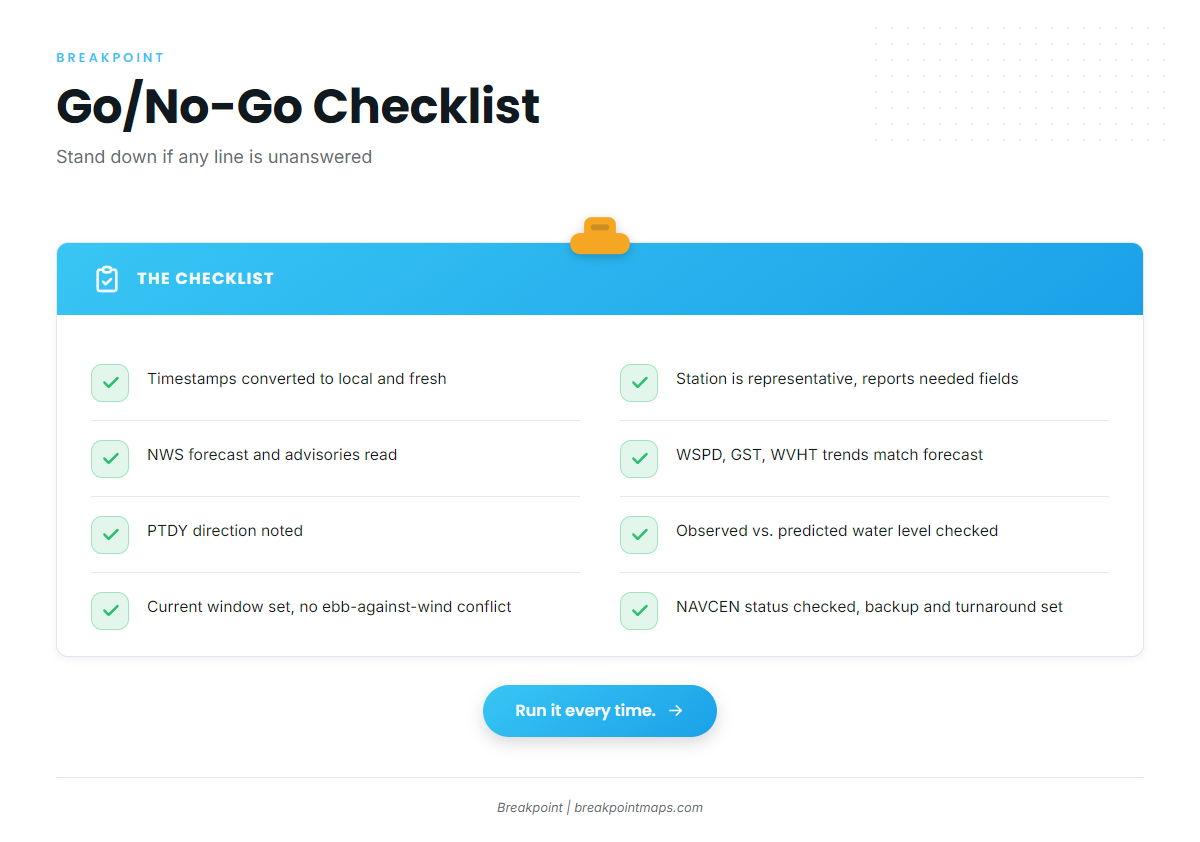
Run the same checklist every time, and stand down if any line is unanswered.
- [ ] Timestamps are converted to local time and are fresh.
- [ ] The station is representative and reports the fields you need.
- [ ] The NWS coastal waters forecast has been read, including advisories.
- [ ] WSPD, GST and WVHT trends are consistent with the forecast.
- [ ] PTDY direction has been noted.
- [ ] Observed versus predicted water level has been checked.
- [ ] The current window has been identified, with no ebb-against-onshore-wind conflict.
- [ ] NAVCEN port status has been checked.
- [ ] A backup station and a turnaround time are set.
The thresholds come from you and the official forecast. The list only makes sure you looked at every input before you set them. For how wind, waves and tide combine on longer runs, see weather, waves and tides for offshore anglers.
Frequently Asked Questions
Why is high tide not slack water?
High tide is a water level, while slack water is the turn of the current. Their timing differs by location, and slack can fall away from high or low water. Check a CO-OPS current prediction station for the slack time at your inlet instead of assuming it matches the tide table.
What is significant wave height?
NDBC defines it as the average height of the highest one-third of waves. Because it is an average, individual waves run larger and smaller than the value. Read it with the dominant period and wave direction, not alone.
What is the difference between DPD and APD?
DPD is the dominant period, the period carrying the most wave energy. APD is the average period across all waves. When DPD is short and APD sits close to it, the sea is locally generated, and a wide gap points to mixed seas.
How do I pick a buoy?
Match exposure, depth and distance to your water. Check which direction the station sees, what fetch the wind crosses, and which sensors it carries. Confirm the timestamp is fresh, then name a backup station before you need one.
Why does observed water differ from predicted?
Predictions are astronomical and leave out weather. Wind setup and surge push observed levels above or below the prediction. Compare observed and predicted at the CO-OPS station, and treat the gap as the weather’s contribution.
What time zone are buoy reports in?
UTC. Convert to local time by applying your offset for standard or daylight time, then compare the latest timestamp with the clock, since a gap of several hours means the report is stale.
Conclusion
The order holds: forecast first, then the buoy trend, then the current window. Each source covers a gap in the others. A buoy measures one point, predictions leave out weather, and high tide is not slack.
Run the checklist on your own inlet with its nearest buoy and current prediction station. To see the ocean data layers in one view, the data guides on breakpointmaps.com show how they work.